From the box to your first round
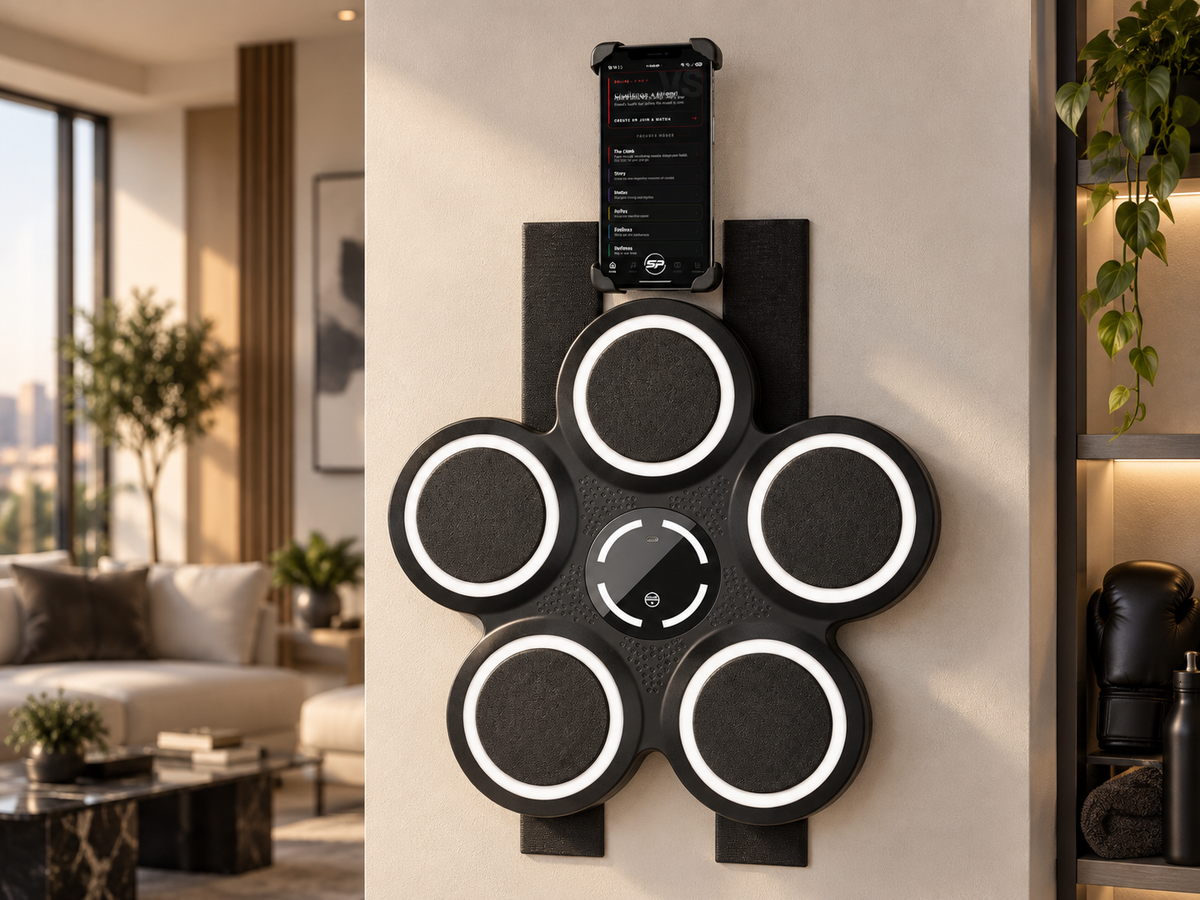
Mount it, adjust the height, open the app — and you’re ready to train.


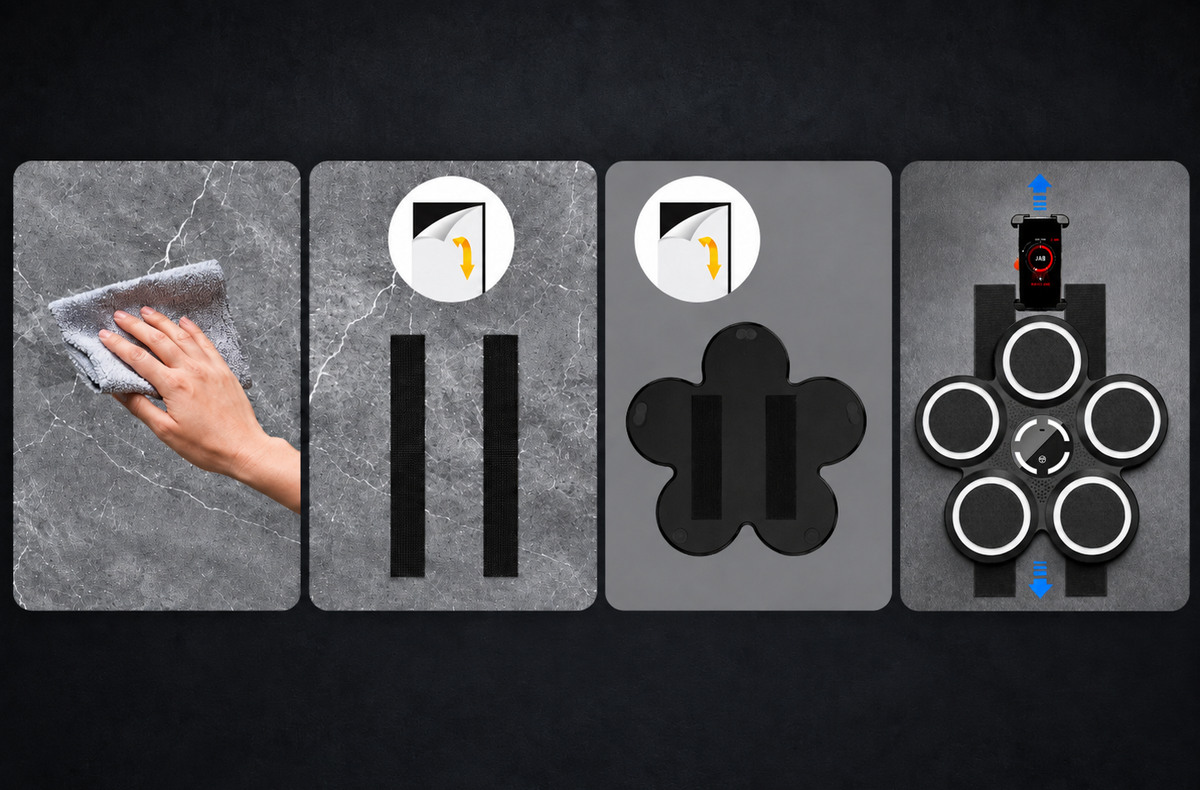
Clean your FLAT surface.Clean your FLAT surface.
Peel off the protective film and stick it to the wall.Peel off the protective film and stick it to the wall.
Peel off the protective film and stick it to the boxing machine.Peel off the protective film and stick it to the boxing machine.
Align and stick, the height is fully adjustable.Align and stick, the height is fully adjustable.
- 01
Mount it.
- 02
Adjust the height.
- 03
Open the app.
The Interface
Watch the cue.
Then move.
01 — Target
Where to strike
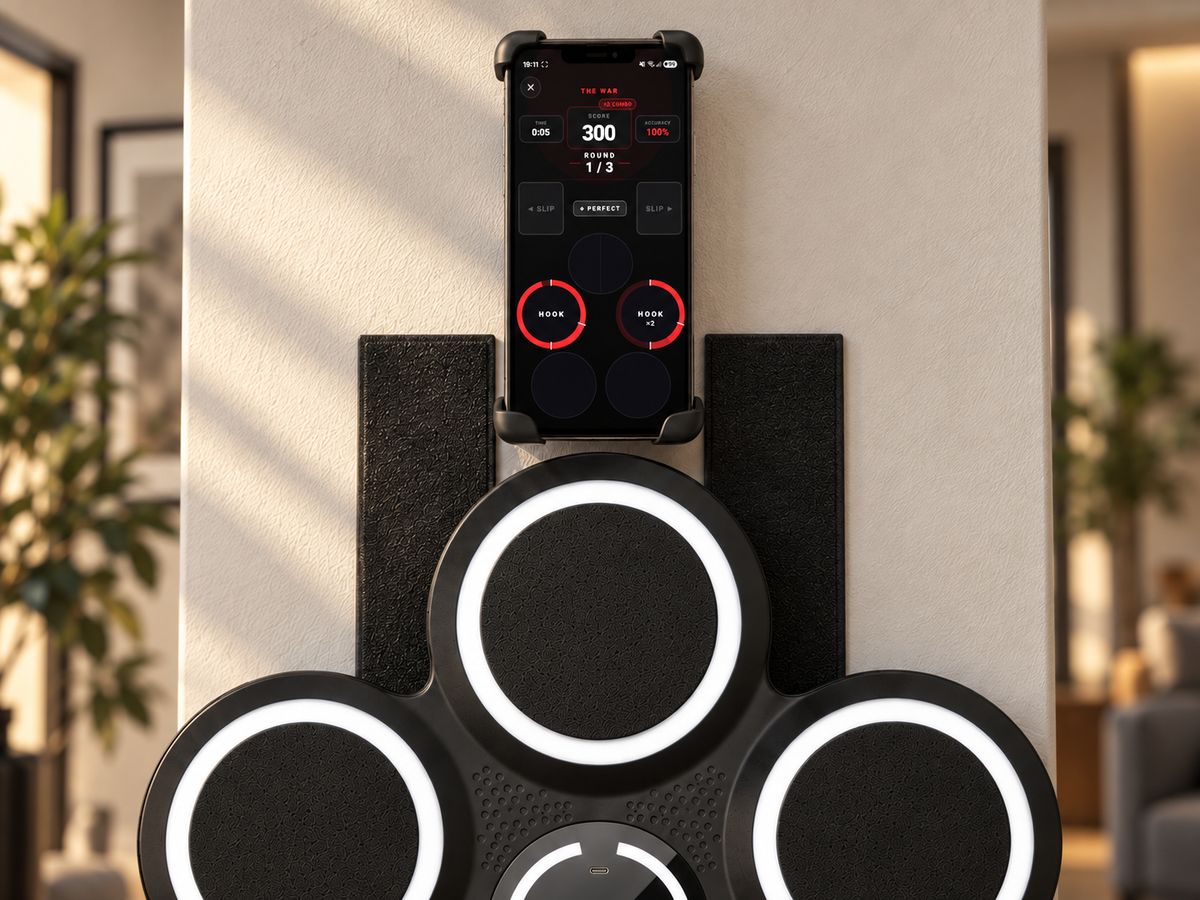
When a pad lights up on the screen, that's your target. Hit it before the ring closes.
02 — Timing
When to strike
Hit before the cue disappear. Your timing is graded as Perfect, Good or Missed.
03 — Timer
How much time is left
Every round runs on a fight timer. Watch the countdown and keep your pace.
04 — Mode
What to focus on
Each round trains a specific skill. AI tracks your slips and lateral movement in real time.
Troubleshooting
Fix it in 60 seconds.
Most issues have one fix. Find yours below.
- 1Bluetooth off → on. Toggle it on your phone and try again.
- 2Check permissions. App needs Bluetooth + nearby devices access — go to phone Settings → App → Permissions.
- 3Disconnect from another device. The unit can only pair to one phone at a time.
- 4Restart the app and try Pair again from the main screen.
- 1Improve lighting. Avoid strong backlight (window behind you). Face a light source if possible.
- 2Set the correct height. Mount the strikepad so the center target sits where your straight punch naturally lands at head level.
- 3Stay still during the countdown. Stand in front of the camera and hold your guard until the round starts.
Your next round is closer than you think.
Mount it. Open the app. Pick a mode. Then start punching.
No subscription. Set it up once. Train whenever you want.